
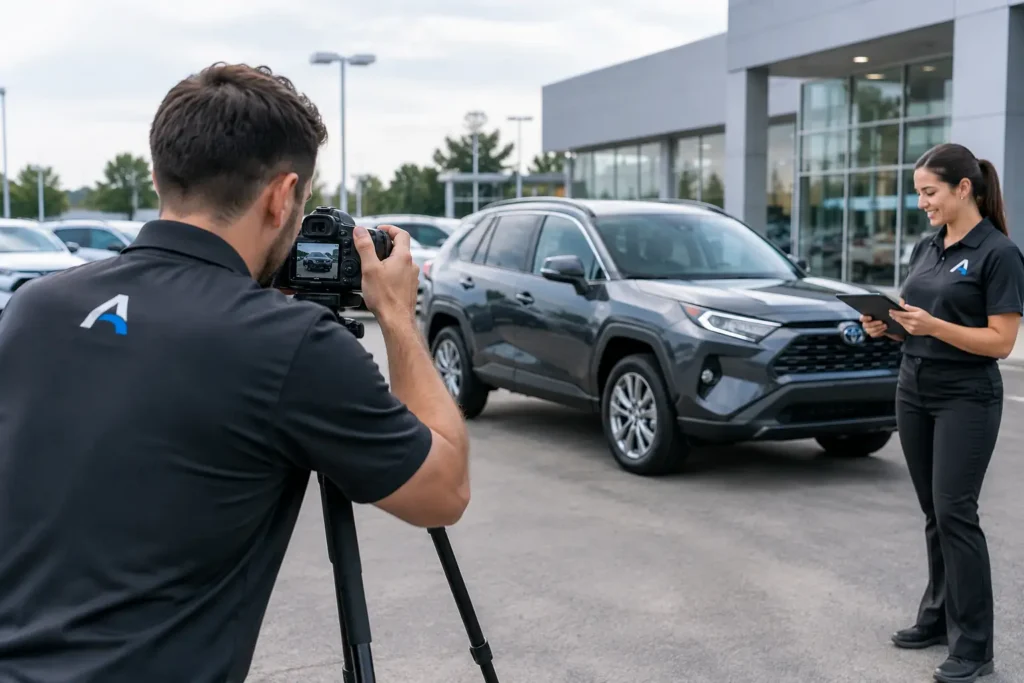
Photography is often treated as the last small step before a used vehicle goes online. In a dealership, it is a hard stop. A unit can be mechanically complete, detailed, priced, and sitting on the lot, yet it is not truly sale-ready until someone can find it online. To organize vehicle photography scheduling, treat photography as a tracked get-ready stage with an owner, a due date, and a documented handoff – not a favor requested by text message.
Every day a completed unit waits for photos is another day of holding cost without retail exposure. The problem is rarely the camera. It is usually unclear status: detail believes the vehicle is ready, the photographer does not know it is available, sales has moved the car, or the vehicle is missing a key, fuel, a plate, or a final wash. Those are process failures, and they need a process answer.
Organize Vehicle Photography Scheduling Around Readiness
The first rule is simple: do not schedule a vehicle for photos because someone hopes it will be ready. Schedule it when the required work is complete and the vehicle has been released into a photography-ready status.
That status should be defined by your store, not by assumption. For most dealerships, it means mechanical and safety work are closed, parts are installed, body and paint work are complete, detail has finished, the vehicle is clean and fueled enough to move, and the keys are available. If pricing or window-sticker requirements are part of your merchandising process, include them as well.
There is a trade-off. Some stores photograph units before every repair is complete to build an online listing early. That can work for an acquisition-heavy store with a disciplined disclosure process and predictable repair timelines. But it creates rework when the vehicle’s condition, accessories, or color presentation changes. For most stores, the better operating standard is to photograph at the point where the unit can move from photography directly into merchandising and front line readiness.
The important point is that the release is visible. Detail should not have to call sales. A photographer should not have to walk the lot looking for work. When the unit is marked ready, the photography assignment should be created immediately and the responsible person should see it.
Set a Clear Handoff From Detail to Photography
A clean handoff eliminates most missed photo opportunities. The detail department closes its task. That action timestamps the completion and moves the vehicle to a photography queue. The photographer receives a notification or sees the queue on a shared dashboard. No one has to interpret a handwritten note or search old text messages.
The handoff also needs an exception path. If a vehicle cannot be photographed because it is raining, the photo bay is occupied, a key is missing, or the unit has been sold or transferred, the reason should be recorded against the vehicle. “Not done” tells management nothing. “Waiting on replacement key” or “weather delay – rescheduled for 9:00 a.m.” identifies the next action and who owns it.
That level of detail matters because photography delays often expose upstream problems. If five units are repeatedly waiting on keys, photography is not the bottleneck. Key control is. If vehicles arrive at the photo area dirty, the detail release standard is not being enforced. That which is measured improves, but only when the status is honest enough to show what actually happened.
Build a Daily Photography Queue That Can Be Managed
A workable photography schedule does not need to be complicated. It needs to answer four questions at a glance: Which vehicles are ready now? Who is assigned? When is the work due? What is preventing completion?
Start each day with a live queue, sorted by age in inventory, promised date, and readiness. A fresh acquisition that is still waiting on parts should not displace a fully reconditioned unit that has been waiting two days for photos. The oldest completed units deserve attention first because they are consuming holding cost while producing no online activity.
Assign capacity honestly. If one in-house photographer can complete 12 vehicles per day under normal conditions, do not schedule 20 and call the result a photography problem. Account for vehicle type, weather, location, number of required images, video requirements, and whether the unit must be moved from another lot. Trucks, specialty vehicles, and high-line inventory may require more time than standard sedans.
A practical schedule separates confirmed work from expected work. Confirmed work includes vehicles released by detail and physically available. Expected work includes units that are likely to clear detail later in the day. This gives the photographer a productive plan without representing unfinished work as ready inventory.
For multi-store groups or dealerships using outside vendors, this distinction is even more important. A vendor arriving with a fixed appointment needs a confirmed list before arriving. Sending a list of vehicles that are still in service, body shop, or detail wastes vendor capacity and adds avoidable charges.
Use Due Times, Not Just Due Dates
A due date is useful for reporting. A due time drives action. If a unit is released from detail at 10:00 a.m. and the standard is same-day photography, the assigned photographer needs a target time and management needs an escalation point.
The specific standard depends on your operation. A large-volume store may set a two-hour target from detail release to photography completion. A store with a shared photo vendor may set a next-business-day standard. Either can be right if the expectation is documented, consistently applied, and visible to the people doing the work.
Avoid broad labels such as “ASAP.” They create urgency without accountability. A task due at 2:00 p.m. has a measurable outcome. If it remains open at 2:30 p.m., the GM or Used Car Manager can see it, ask why, and reassign it before the day is lost.
Make Ownership Impossible to Miss
Every vehicle in the photography stage needs one accountable owner. That does not mean one person performs every task. A porter may stage the vehicle, detail may perform a final wipe-down, a vendor may shoot the images, and merchandising may upload them. But one named person must own the completion of the stage.
Shared responsibility is where completed vehicles disappear. Sales assumes service is moving the car. Service assumes detail has it. Detail assumes the photographer knows. The car sits. A centralized workflow forces a different question: who has the ticket now?
For an outside photography vendor, assign an internal coordinator as well. Vendors can complete their work, but the dealership still owns vehicle access, keys, staging, approval, and confirmation that images posted correctly. If the photos are taken but not live on the website, the unit is not complete from the sales department’s perspective.
AutoGetReady can place photography inside the same real-time get-ready workflow as intake, inspection, mechanical work, parts, detail, merchandising, and front line readiness. The value is not another place to enter notes. It is a documented chain of custody that shows where the unit stopped, how long it waited, and who is responsible for the next move.
Track the Delays That Cost You Exposure
Management reporting should separate total photography cycle time from wait time. A photographer spending 25 minutes capturing a vehicle is not the same issue as a unit waiting 30 hours after detail release. If those numbers are combined, leadership cannot see whether the constraint is labor capacity, scheduling, vehicle staging, vendor availability, or weak handoffs.
Review a short set of metrics weekly: average time from detail complete to photos complete, number of photo-ready units still open at day end, aged units waiting for photography, percentage completed within the store standard, and the most common exception reasons. These measures are enough to expose trends without burying managers in reports.
Do not use the report to punish a photographer for every delay. Use it to test the process. If missed due times cluster on Mondays, perhaps the weekend detail release volume exceeds Monday capacity. If outside-vendor units linger, perhaps appointments are being booked before vehicles are confirmed ready. If one department routinely sends incomplete units, the release checklist needs enforcement.
Keep Photography Connected to Merchandising
Photography completion should trigger the next stage, not end the workflow. The vehicle needs images uploaded, a description reviewed, options verified, pricing confirmed, and the listing published. In some stores, the same person handles photography and merchandising. In others, those are separate roles. Either way, the status must move forward automatically or visibly.
A unit is front line ready when the physical vehicle and its online presentation are ready to sell. Managing only the physical side creates an inventory blind spot. Managing only the website side creates a different one. The dealership needs both conditions documented against the same stock number.
Start with one operating rule: no vehicle may sit in a completed state without a next assigned task. When photography is managed as a real production stage, completed units stop waiting silently in the back lot and start reaching the market while they still have time to earn.